Updated October 26, 2026 · 10 min read
We earn a commission when you buy through our links, at no extra cost to you. How this works.
Short on time?
 Reviewed hereGarmin Approach R104.1★ · 1,100+ ratings on AmazonCheck price on Amazon →
4.1★ · 1,100+ ratings
Garmin Approach R10: the launch monitor most golfers can afford
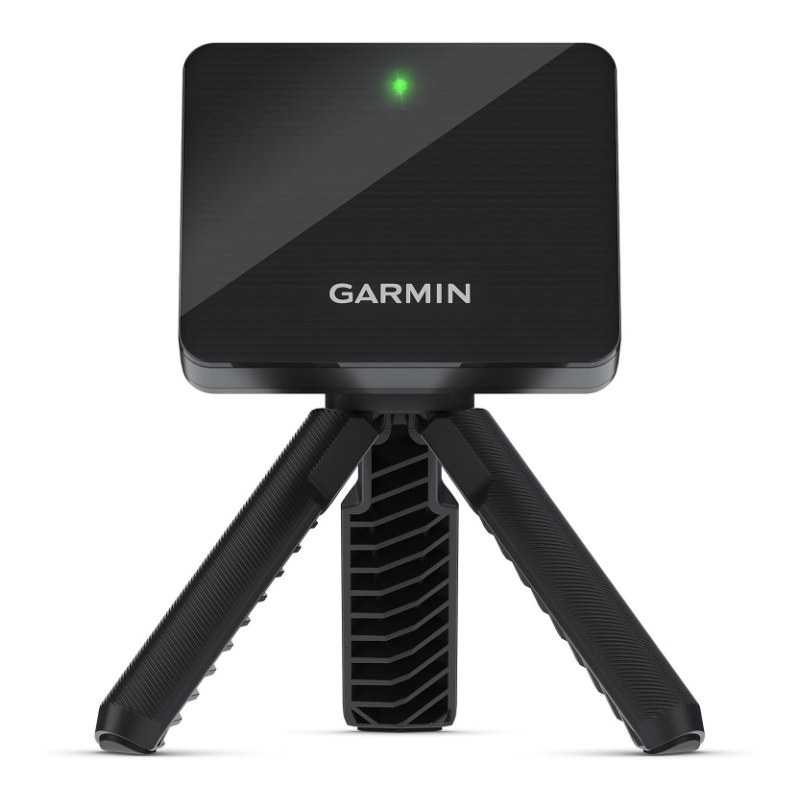
The Garmin Approach R10 is a small radar launch monitor that sits behind the ball and sends club speed, ball speed, launch angle, spin, carry and more to your phone. It is one of the most popular launch monitors on Amazon because it does the job of much bigger units at a fraction of the price.
Below: how accurate it really is, how to use it as a home simulator, what buyers love and complain about, and how it compares with the PRGR, Voice Caddie and Rapsodo.
The short answer
Our verdict: the best-value way to get real shot data and play simulator golf at home. Speed numbers are its strength; spin and curve are its weak spot, especially indoors.
Price check: it often sells for around $500, and sometimes less on sale.
Buy it if
- You want club speed, ball speed and carry numbers at the range or at home.
- You want to build a home golf simulator on a budget.
- You like to track progress over time in an app.
Skip it if
- You only want swing speed. A PRGR speed radar is much cheaper.
- You need lab-level spin accuracy indoors.
- You do not want to use a phone or app while you practise.
What you get in the box
Garmin Approach R10Launch monitor, tripod stand, phone mount for your bag, carry case and charging cableSee it on Amazon →There is only one version of the R10, so there is nothing to choose between. You will also need a smartphone with the free Garmin Golf app to see your numbers. Some features, like virtual rounds, need a paid Garmin Golf membership.
Key specs
| Spec | Garmin Approach R10 |
|---|---|
| Type | Portable Doppler radar launch monitor |
| Measures | Club head speed, ball speed, launch angle, spin, swing tempo, carry and total distance, and more |
| Stated accuracy | Club head speed within about 3 mph (per the listing) |
| Battery | Up to 10 hours |
| Water rating | IPX7 |
| Works with | Garmin Golf app (iPhone and Android) and third-party simulator software |
| Virtual golf | 42,000+ courses with a Garmin Golf membership |
| Included | Tripod, phone mount, carry case, cable |
What 1,100+ buyers say: the box score
Amazon groups review mentions by topic. Here is the R10’s box score from those topics, as of October 2026. Green is praise, amber is mixed and red is a complaint.
| TOPIC | WHAT BUYERS SAY | MENTIONS |
|---|---|---|
| Quality | Well made, small and easy to carry | 117 |
| Function | Does what it promises for practice at home and the range | 33 |
| Data | Lots of useful numbers for the price | 23 |
| Fun | Makes range sessions and home practice more fun | 22 |
| Accuracy | Mixed: good on speed, less consistent on some shots | 131 |
| Connection | Mixed: some pairing and app connection issues | 22 |
| Visuals | Mixed: simulated ball flight not always true | 14 |
| Distance | Some say distances read a little off | 14 |
The takeaway: buyers love what the R10 offers for the money. Accuracy is the most-discussed topic, and it is mixed rather than negative. Most complaints come from poor setup, a lack of room indoors or very short hitting distances into a net.
How accurate is the Garmin R10?
The R10 is a radar unit that sits behind the ball and tracks it as it leaves the club. For a portable device at this price, buyers and golf reviewers generally rate club and ball speed as the most reliable numbers. Launch angle is usually close. Spin and curve are the numbers most often questioned, especially indoors when the ball only flies a short way into a net.
A few things help a lot:
- Placement: set it up behind the ball, in line with your target, at the distance Garmin recommends in the app (about 6 to 8 feet).
- Room to fly: indoors, give the ball as much flight as possible before the net. Very short flights give the radar less data.
- Alignment: aim the R10 straight at your target line. A unit that points a little left or right will show shots curving that did not.
- Firmware: keep the R10 and the app updated. Garmin has improved readings over time.
Our view: it is accurate enough to track progress, compare clubs and gap your distances. It is not a replacement for a $10,000 studio launch monitor, and it is not trying to be.
Can you use the Garmin R10 as a golf simulator?
Yes. Many golfers build a home simulator around the R10. With a Garmin Golf membership you can play virtual rounds on more than 42,000 courses through the app. It also works with third-party simulator software on a computer or tablet, which usually costs extra. For a home setup you will need:
- A hitting mat (see our best golf hitting mats).
- A net or screen (see our best golf hitting nets).
- Enough ceiling height to swing a driver safely, plus room behind the ball for the R10.
- A phone, tablet or computer, and optionally a projector and screen.
Garmin R10 setup in 5 steps
- Charge the R10 fully and install the Garmin Golf app.
- Pair the R10 with the app over Bluetooth.
- Place the tripod behind the hitting area at the distance shown in the app.
- Align the unit with your target line using the app’s guide.
- Choose a mode: driving range, training, or a virtual round, and start hitting.
Garmin R10 vs the rivals
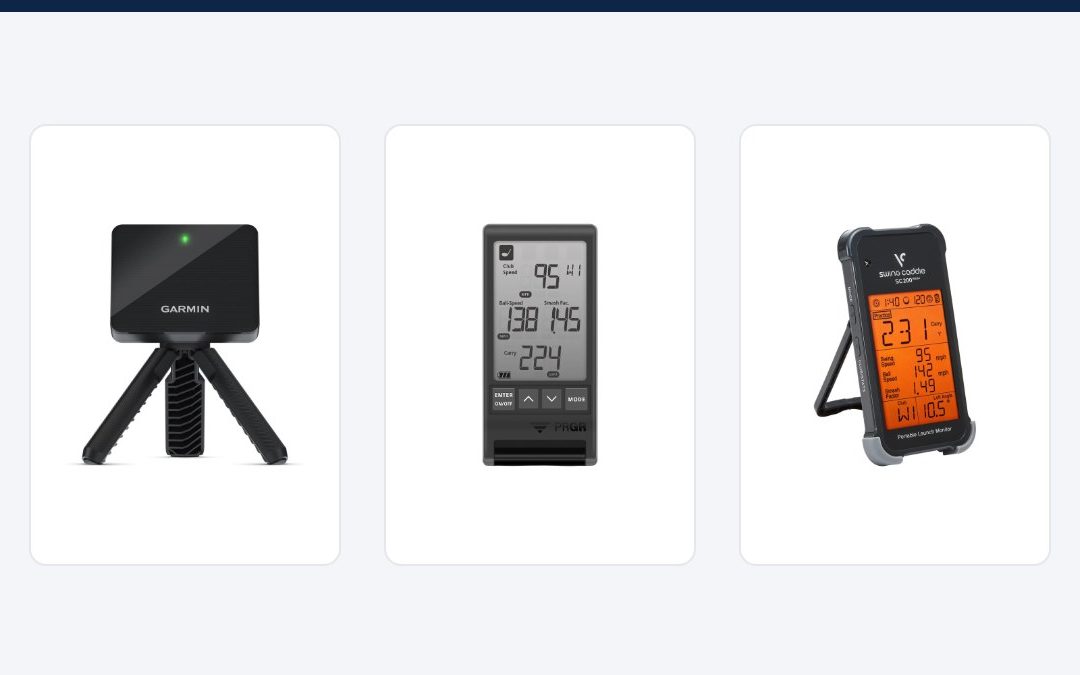
Garmin R10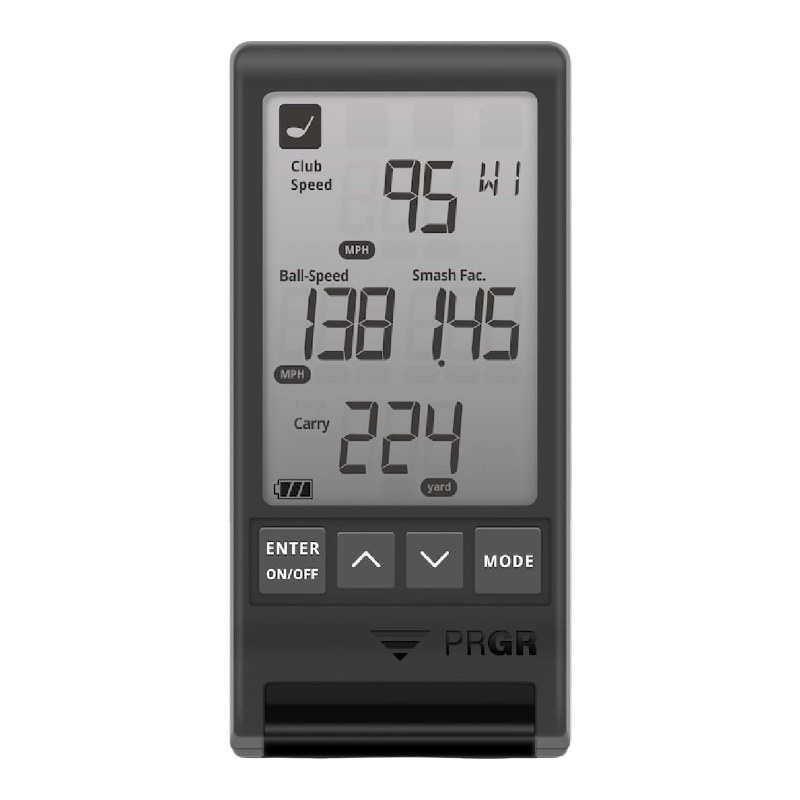 PRGR HS 130-A
 Voice Caddie SC200 Plus
| Garmin R10 | PRGR HS 130-A | Voice Caddie SC200 Plus | |
|---|---|---|---|
| What it measures | Full shot data and video | Swing and ball speed | Speed, distance and smash factor |
| Simulator play | Yes (membership or third-party apps) | No | No |
| Amazon rating | 4.1★ (1,100+) | 4.2★ (1,700+) | 4.2★ (700+) |
| Best for | Golfers who want data and sim play | Speed training on a budget | Range practice with a simple display |
R10 vs Rapsodo MLM2PRO: the MLM2PRO uses cameras plus radar and is popular for indoor sim setups. It is not sold directly on Amazon US at the moment, so check prices with the brand. R10 vs Garmin R50: the R50 is Garmin’s premium, built-in-screen simulator unit at a much higher price. For most home golfers, the R10 is the smarter buy.
See all our picks in our guide to the best golf launch monitors.
Is the Garmin R10 worth it?
For most amateur golfers who want to practise with real numbers, yes. It gives club speed, ball speed, launch, spin estimates and carry distance from a device that fits in your pocket, and it doubles as an entry-level home simulator. If you only want to train swing speed, a PRGR speed radar is far cheaper. If you need tour-level spin accuracy indoors, you will need a much more expensive camera-based system.
Who should buy the R10
- Golfers who want to learn their real carry distances for every club.
- Players building their first home simulator on a budget.
- Anyone practising at the range who wants more than “that felt good”.
- Golfers checking their driver loft and shaft. Our driver loft calculator uses the swing speed it shows.
Tips to get better data from the R10
- Use good, clean golf balls. Scuffed range balls fly shorter and spin differently.
- Practise outdoors when you can. A full ball flight gives the radar the most data.
- Keep the unit level and stable on its tripod, and do not move it between shots.
- Record video clips in the app to link each swing with its numbers.
- Compare averages over 10 or more shots instead of trusting one swing.
Accessories worth adding
- A quality hitting mat that protects your joints and floor.
- A large net or impact screen if you want to play sim golf.
- A phone mount or tablet stand at eye level.
- Premium golf balls. See our best golf balls for high handicappers.
How much space do you need for the R10 indoors?
Plan your room before you buy. You need space for three things: the R10 behind you, your swing, and the ball’s flight into the net.
| Space | What to plan for |
|---|---|
| Behind the ball | About 6 to 8 ft for the R10 on its tripod |
| Ceiling | Enough to swing a driver freely. Most golfers need 9 to 10 ft, taller players more |
| In front of the ball | As much ball flight as possible before the net, ideally 8 ft or more |
| Width | Room to swing safely, plus space to the side of the mat |
If your room is tight, use the R10 for wedges and irons indoors and save driver practice for the range.
Is the Garmin Golf membership worth it?
You do not need it to use the R10 as a launch monitor. The free app gives you range data, club averages, dispersion charts and swing videos. The membership adds virtual rounds on more than 42,000 courses, the weekly online tournament and extra on-course features if you also use a Garmin golf watch. If you plan to play simulator golf every week, it is worth it. If you only practise at the range, skip it.
Common Garmin R10 problems and fixes
- Shots not reading: check the distance behind the ball and that the unit is level. Restart the app and the R10.
- Distances look short: make sure the ball type is set correctly in the app, and give the ball more flight indoors.
- Every shot curves one way: realign the R10 to your target line. Small aim errors show up as fake hooks or slices.
- Bluetooth drops: keep your phone close to the unit and update both the app and firmware.
- Battery runs low: charge it fully before each session. One charge lasts up to 10 hours.
The R10 for beginners vs better players
Beginners get the most from carry distances and club speed. Knowing that your 7-iron carries 130 yards, not 150, saves strokes right away. Mid handicappers use the dispersion charts to see which clubs are least consistent. Low handicappers often want more precise spin and face data, and may outgrow it and move to a camera-based unit later.
Using the R10 with a coach
The R10 is also a handy tool for lessons. Many coaches use launch monitor numbers to show a student how a change in setup or swing affects launch and spin. Record a session with video clips in the app, then share the numbers with your coach before your next lesson. Over a few weeks, you can see whether your club speed, smash factor and dispersion improve.
Our final word
If you want to practise with purpose, the R10 is one of the best upgrades you can make for the money. Set it up carefully, give it room, and judge it on averages, not single shots.
Quick buying tip: the R10 often drops in price around major sales events, so if you are not in a hurry, add it to your Amazon list and watch for a deal.
Got questions?
Frequently asked questions
Is the Garmin R10 accurate?
It is accurate enough for practice and progress tracking, especially for club and ball speed. Spin and curve are less reliable, mostly indoors with short ball flight.
Does the Garmin R10 need a subscription?
No. Range and training data are free in the Garmin Golf app. Virtual rounds on 42,000+ courses need a paid Garmin Golf membership.
Can you use the Garmin R10 indoors?
Yes, with a net or screen and enough room behind the ball for the unit. Give the ball as much flight as you can for better readings.
How far behind the ball does the R10 go?
About 6 to 8 feet, in line with your target. Follow the exact distance shown in the app.
Garmin R10 vs Rapsodo MLM2PRO: which is better?
The MLM2PRO uses cameras and is often preferred for indoor spin data. The R10 is easier to buy on Amazon, very portable and great value.
Does the R10 work with simulator software?
Yes. It works with the Garmin Golf app and with popular third-party simulator software, which usually costs extra.
How long does the R10 battery last?
Up to 10 hours per charge, enough for several range sessions.
How we reviewed it
We did not test this product in person. This review is based on the manufacturer’s specs, the Amazon listing for every model and color, Amazon’s review topics and verified buyer reviews, checked in October 2026, plus how it compares with the rivals listed above. No brand paid for this review, and prices and ratings change often, so check the current listing before you buy. Read our full method.

We research sports gear for players, coaches and sports parents. We compare specs, read verified buyer reviews and name one clear pick for each kind of player. How we pick · Affiliate disclosure