Typing “basketball shoes under $60” or “gift for a beginner golfer” into a search bar usually gets you a wall of unrelated listings. The AI Sports Shopping Assistant below reads what you actually typed — the sport, the budget, the experience level — and matches it against our own curated picks across basketball, baseball, football, golf, pickleball, and fitness gear, then shows a short comparison and a buying tip instead of just a list of links.
How the shopping assistant works
- Type a plain-English request. Mention the sport, what you need it for, and a budget if you have one — “a basketball for outdoor use under $40” works exactly like you’d say it to a friend.
- We match it to real products. The assistant checks your sport, budget range, and experience level against our own gear database, not a generic product feed.
- See picks and a quick comparison. You get a handful of relevant options side by side, plus one practical buying tip for that sport.
- Follow through. Tap “Full guide” for the in-depth buying guide, or “Check on Amazon” to see the current price and availability.
What to type for the best results
The assistant looks for three things in your message: a sport or activity (basketball, baseball, football, golf, pickleball, or general fitness), a budget if you mention one ("under $50," "around $100"), and an experience level ("beginner," "serious," "advanced"). You don't need all three — "cheap pickleball paddle" or "gift for a beginner golfer" both work fine. If the assistant can't find a close match, it will point you to one of our dedicated tools instead of guessing.
What the assistant covers right now
Basketball: balls, shoes, and the everyday gear bag essentials for indoor or outdoor play.
Baseball: pants, belts, and socks across the fit and sizing styles teams actually order.
Football: pants with pads and game-day party gear for watch parties and practice alike.
Golf: balls, rangefinders, and complete sets spanning beginner to advanced play.
Pickleball: paddles across control-first and power-first builds.
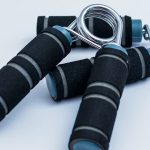
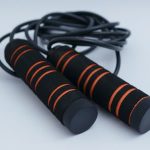
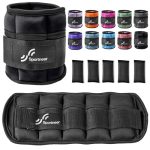
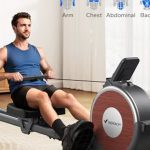
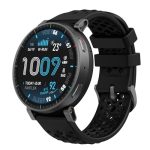
Fitness: bands, dumbbells, racks, massage guns, fitness watches, and rowing machines for home workouts.
Why comparing matters more than searching
A single search result rarely tells you whether a product fits your situation — it just tells you what sold well to everyone. The sports shopping assistant instead starts from your own constraints (sport, budget, experience) and narrows a small catalog down to the handful of items that actually fit, then lines them up side by side so the differences are obvious at a glance rather than buried across five open browser tabs.
Using it to shop for someone else
Gift shopping works the same way as shopping for yourself, with one addition: mention "gift" along with the sport and the recipient's rough experience level ("gift for a beginner," "gift for someone who plays every weekend"). The assistant treats a gift request like any other, matching sport and budget, while the buying tip underneath shifts toward what matters for someone receiving the gear rather than someone who already owns similar equipment.
Frequently asked questions
Why doesn't the assistant show exact prices?
Amazon prices change constantly, so a price shown here could be wrong within hours. Instead, the assistant matches your stated budget to a price tier and sends you to Amazon's page to see the current, accurate price before you buy.
What if it doesn't find a good match for my request?
Try rephrasing with a clearer sport name, or use one of our dedicated tools — the Gear Comparison, Gift Finder, Gear Kit Builder, Game Day Planner, or Sports Budget Planner — which may cover your specific question better.
Is this connected to Amazon in real time?
No. It searches our own curated set of buying-guide picks, built from the products we've researched and written about. The "Check on Amazon" button takes you to that product's live Amazon listing.
Can I ask for a gift instead of gear for myself?
Yes — mention "gift" plus the sport and the recipient's experience level, e.g. "gift for a 10 year old into pickleball," and the assistant will treat it the same way.
Try a request below, or tap one of the example chips to see how it works.